Available in EN — translation pending
Technical Notes

How to Create Planting Design Boards with AI

Learn how to use Nano Banana Pro in ReRoom to generate professional planting design boards based on city, climate, sunlight, and water conditions.

Willy
Engineering · 2026年7月24日 · 5 min read

Why create planting design boards with AI?

In landscape design workflows, planting design boards usually take time to prepare. Designers need to research plant behavior, climate suitability, sun exposure, water requirements, colors, textures, and layout logic before turning everything into a presentation board.

In this tutorial, we’ll use Nano Banana Pro in ReRoom to generate landscape planting design boards based on city, climate, sun exposure, and water conditions. The goal is not to replace a landscape designer’s plant knowledge, but to create a first visual direction faster during early-stage proposals.

From our tests, a planting prompt should not only say beautiful garden or lush planting. These words can create attractive images, but they do not always produce a useful planting strategy.

A more stable approach is to define the location and climate first, then describe sunlight, water needs, planting layers, and board format.

Step 1 — Log in and prepare the design conditions

First, log in to ReRoom and prepare the basic conditions for your planting design board.

Image

Before writing the prompt, define the city, climate type, sun exposure, and water requirement. These conditions will guide the overall plant palette and help Nano Banana Pro generate a board that is closer to the site context.

For this experiment, we tested four cities in different climate zones:

  • Taichung, Taiwan — subtropical, humid, full sun to partial sun
  • Kyoto, Japan — temperate, partial sun, moderate watering
  • Melbourne, Australia — temperate Mediterranean, full sun, low water use
  • Marrakech, Morocco — arid / semi-arid, full sun, extremely low water use

We start with these conditions because climate directly affects planting choices. Taichung can support more humid subtropical planting. Kyoto requires seasonal sensitivity and moderate watering. Melbourne works well with drought-tolerant Mediterranean planting. Marrakech needs plants that can handle strong sun and extremely low water use.

Step 2 — Go to Home and select Nano Banana Pro

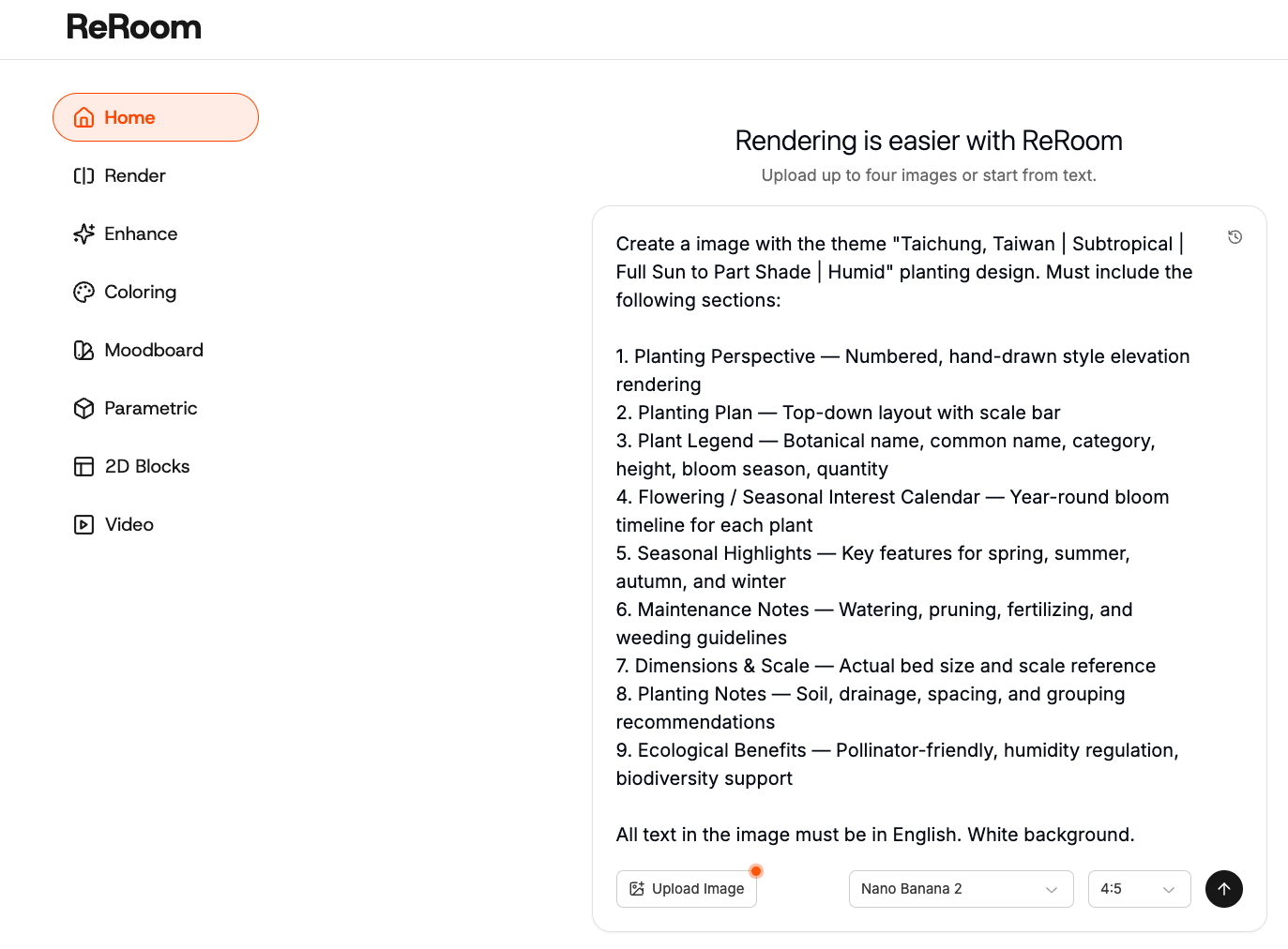
After logging in, go to the ReRoom home page and select Nano Banana Pro.

Image

This workflow works well when you want to generate a complete visual board rather than a single garden rendering. The prompt should describe the output as a professional landscape planting design board, not just a garden scene.

The key difference is structure. A planting board should include a plant palette, planting layers, climate information, sun exposure, water requirement, and a clean layout that can be used in a proposal.

Step 3 — Write a prompt for the city and climate

Start by writing a prompt that clearly defines the city and climate condition.

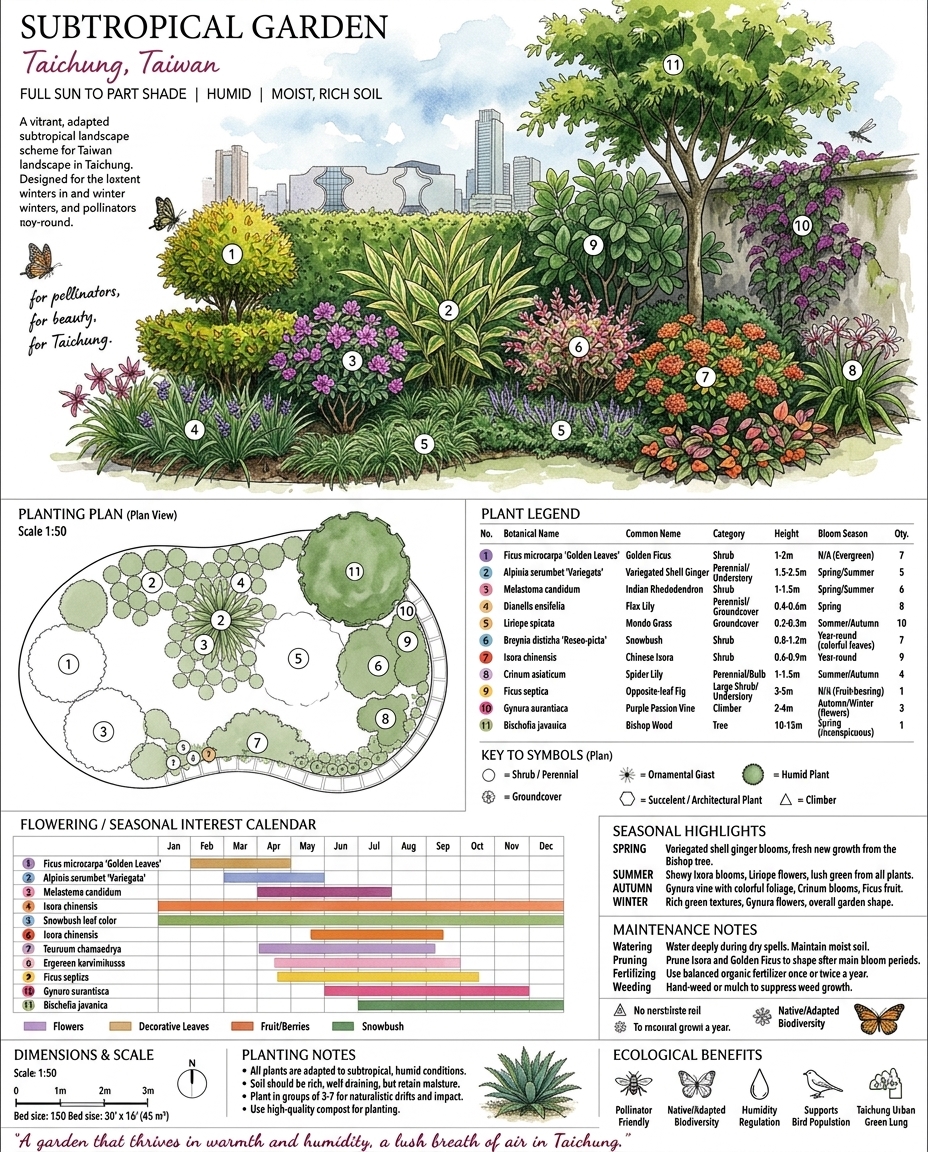
For example, if the site is in Taichung, we can describe the board as a subtropical humid planting strategy with full sun to partial sun conditions.

Create a image with the theme "Taichung, Taiwan | Subtropical | Full Sun to Part Shade | Humid" planting design. Must include the following sections:

1. Planting Perspective — Numbered, hand-drawn style elevation rendering
2. Planting Plan — Top-down layout with scale bar
3. Plant Legend — Botanical name, common name, category, height, bloom season, quantity
4. Flowering / Seasonal Interest Calendar — Year-round bloom timeline for each plant
5. Seasonal Highlights — Key features for spring, summer, autumn, and winter
6. Maintenance Notes — Watering, pruning, fertilizing, and weeding guidelines
7. Dimensions & Scale — Actual bed size and scale reference
8. Planting Notes — Soil, drainage, spacing, and grouping recommendations
9. Ecological Benefits — Pollinator-friendly, humidity regulation, biodiversity support

All text in the image must be in English. White background.
ext0721ref20

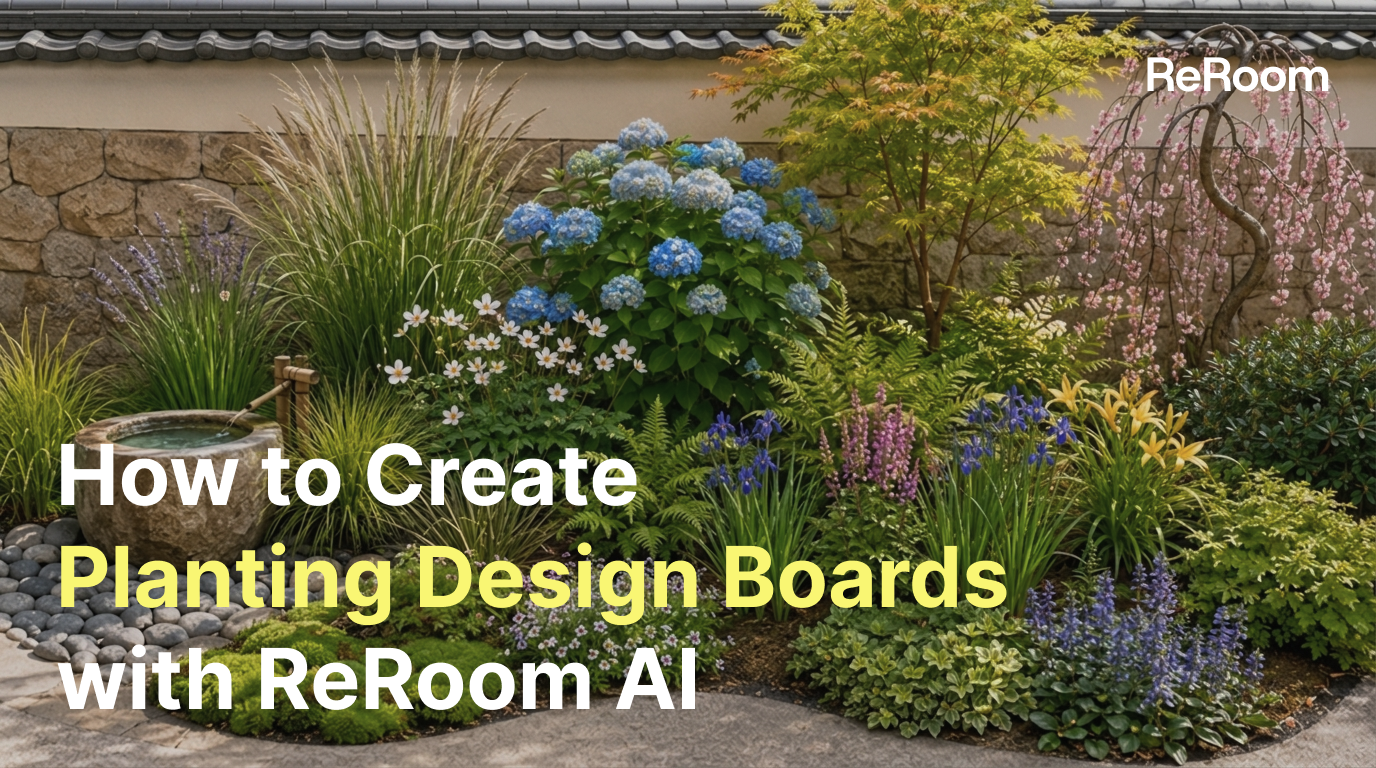
Figure 01. A planting board generated for Taichung with subtropical, humid, full sun to partial sun conditions

At this stage, we usually avoid specifying too many plant names. The early goal is to define the climate logic and planting hierarchy, not to finalize the plant schedule.

This keeps the output flexible enough for concept exploration.

Step 4 — Control the board layout with prompt

The most common issue with planting boards is that the result becomes a simple plant photo collage.

For proposals, we need more than attractive plants. We need a clear visual structure: plant layers, color atmosphere, climate logic, sun exposure, water requirement, and simple explanatory information.

professional landscape planting design board, clean grid layout, plant palette, climate information, sun exposure, water requirement, planting layers, trees, shrubs, grasses, groundcovers, minimal architectural portfolio style
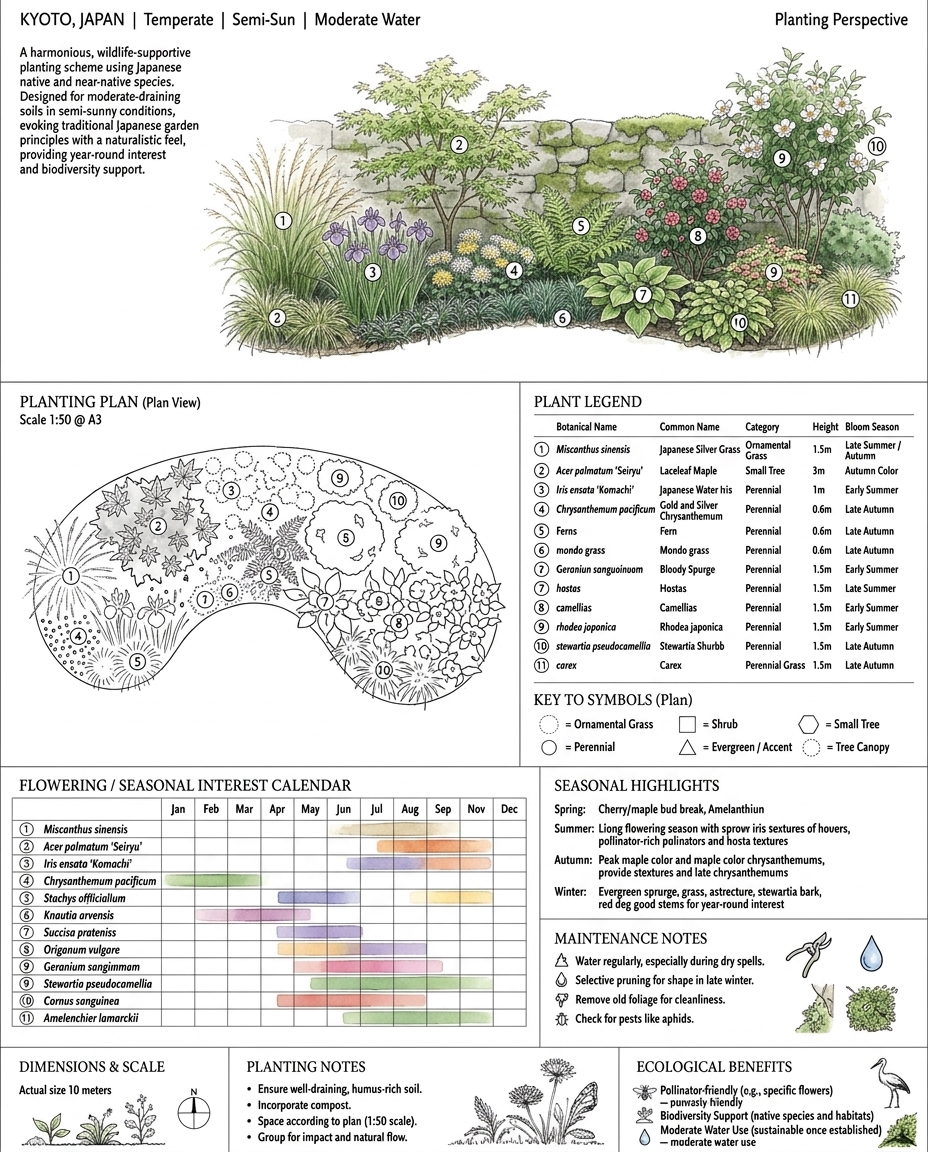
ext0721ref21 Figure 02. A planting design direction generated for Kyoto with temperate, partial sun, and moderate watering conditions

Words such as board, grid layout, plant palette, and planting layers are important. They tell Nano Banana Pro that the output should be a design board, not only a garden rendering.

If the prompt only says garden planting design, the result may become a beautiful garden image without enough proposal structure. It may look atmospheric, but it will be harder to use as a planting strategy presentation.

Step 5 — Adjust prompts for different climate zones

For the four city tests, we focused on how the prompt changes planting language across climate zones.

For Melbourne, the prompt emphasizes temperate Mediterranean climate, full sun, and low water use. This usually pushes the planting direction toward drought-tolerant species, lower-maintenance planting, ornamental grasses, shrubs, and silver foliage.

create a professional landscape planting design board for Melbourne, Australia, temperate Mediterranean climate, full sun, low water use, drought-tolerant planting palette, ornamental grasses, shrubs, silver foliage, clean portfolio presentation
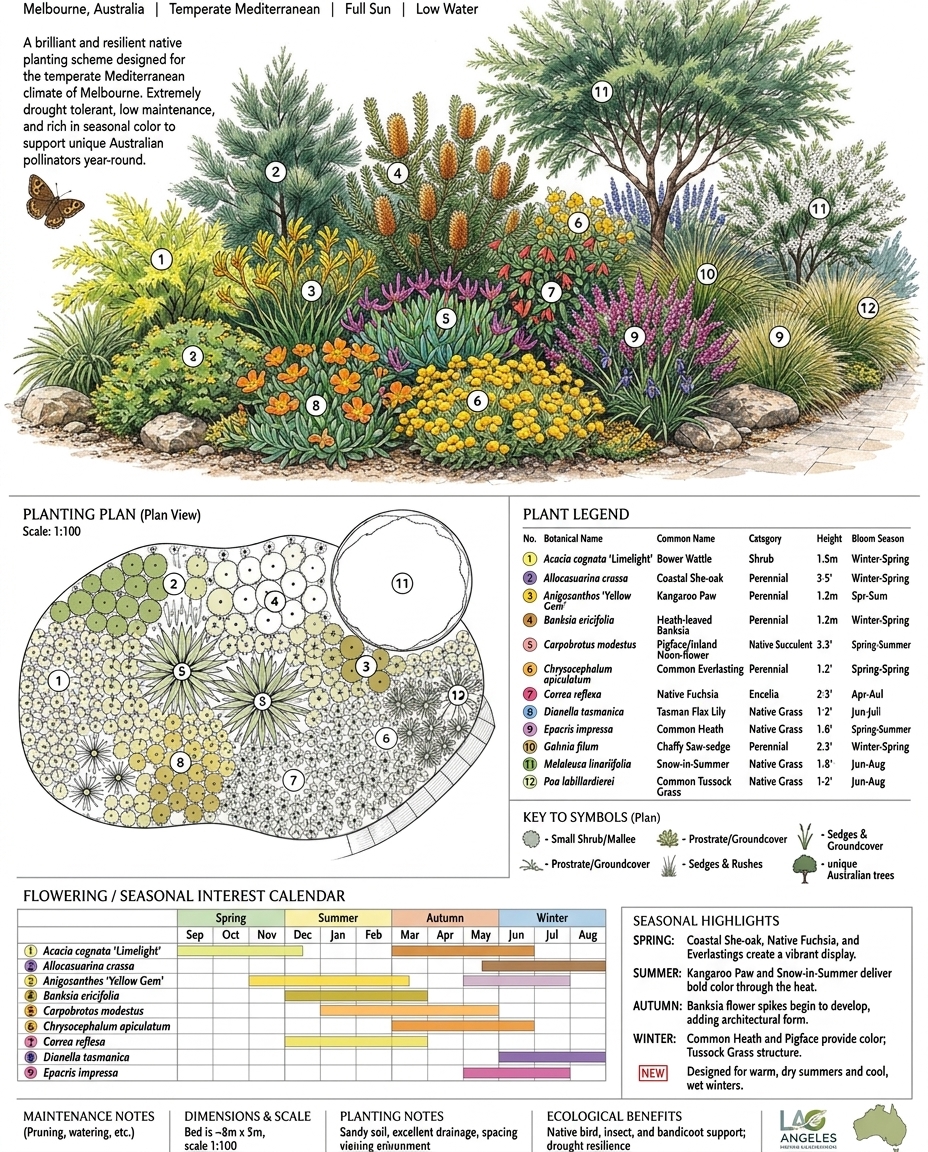
ext0721ref22 Figure 03. A low-water planting board generated for Melbourne’s temperate Mediterranean climate

For Marrakech, the prompt needs stronger water restrictions. We describe the climate as arid and semi-arid, with full sun and extremely low water use.

create a professional landscape planting design board for Marrakech, Morocco, arid and semi-arid climate, full sun, extremely low water use, drought-resistant desert planting palette, sculptural shrubs, gravel garden, minimal architectural layout
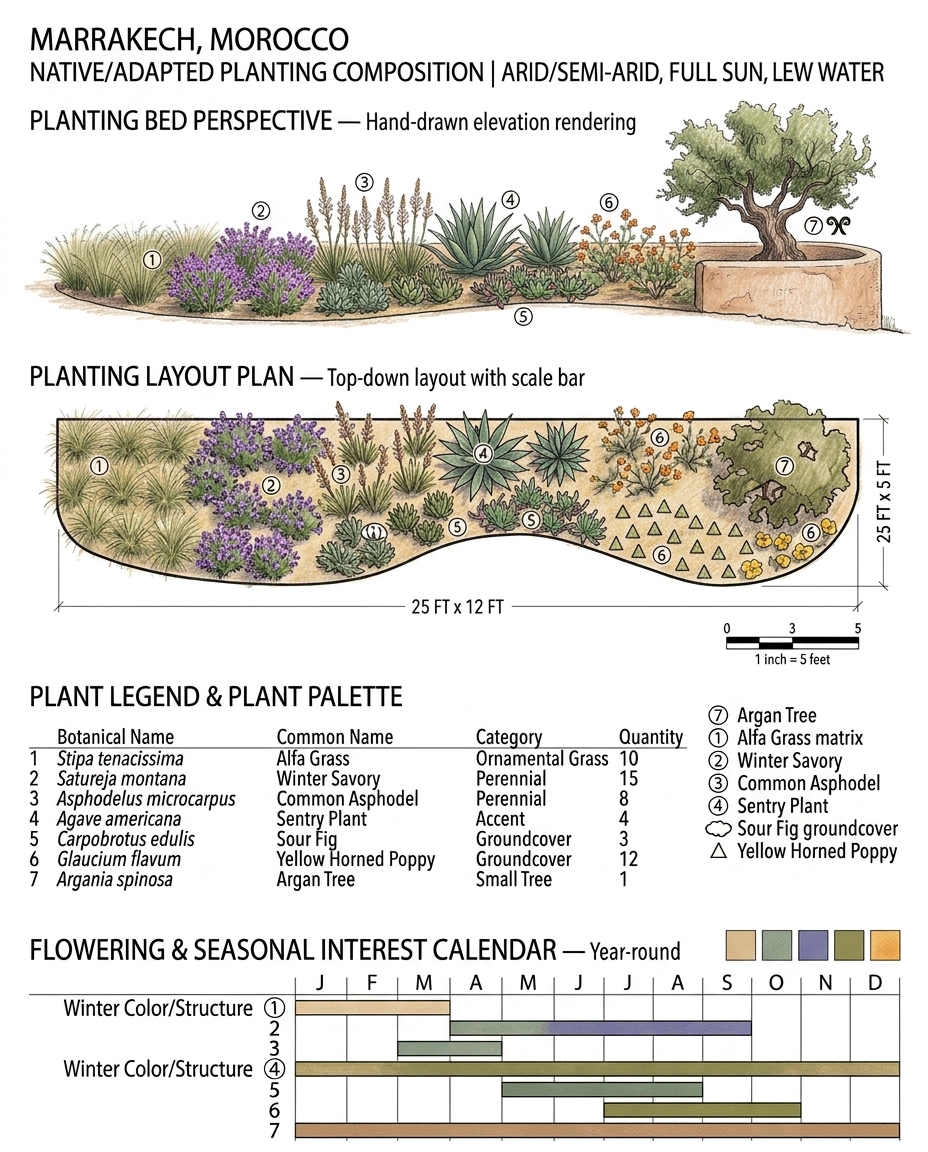
ext0721ref24 Figure 04. A planting board generated for Marrakech with arid and semi-arid conditions

The trade-off is that more specific prompts usually create a clearer direction, but prompts that are too rigid can make the board feel less flexible. For early-stage proposals, we usually control climate, sun exposure, and water first, then add more specific plant types later.

What this workflow changes

This workflow helps designers create a first planting design board without starting from a plant encyclopedia or a blank layout file. It is useful for climate strategy comparison, planting atmosphere exploration, client presentations, and early portfolio drafts.

Nano Banana Pro still requires manual review for plant names, regional suitability, water requirements, seasonal performance, and maintenance needs. For construction documents or formal planting specifications, designers still need local plant databases, nursery availability, and professional landscape judgment.

But during concept design, this workflow can quickly translate city, climate, sunlight, and water use into a visual board. It helps design conversations start earlier and turns planting strategy from abstract text into an image that can be compared, edited, and developed.

#AI Landscape#Planting Design#Nano Banana Pro#ReRoom#Tutorial